How to generate a seamless Perlin noise texture
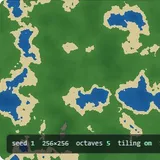
- Choose a preset or adjust Scale and Octaves. Keep the Seed to reproduce the same pattern with the same settings.
- Enable Seamless tiling and Show 2×2 tiled to inspect the horizontal and vertical joins.
- Choose an export size and press Save PNG. The file contains one tile, even when the preview shows four.
What Perlin noise actually is
It is not random pixels. Random pixels are useless for anything that has to look natural, because natural surfaces are correlated — a point on a hillside is nearly the same height as the point next to it. Perlin noise builds that correlation in from the start.
The construction: put a grid over the plane and give every lattice corner a random unit vector. To evaluate a point, take the four surrounding corners, and for each one compute the dot product of its vector with the offset from that corner to your point. Then blend the four results together with a smoothing curve. Because every lattice point contributes zero to itself, the value at every grid corner is exactly zero, and the structure you see is entirely in between — which is why Perlin noise has a characteristic scale and white noise does not.
The blending curve matters more than it looks. Ken Perlin’s original used 3t² − 2t³; his 2002 revision changed it to 6t⁵ − 15t⁴ + 10t³, whose second derivative also vanishes at the ends. Without that, the second derivative jumps at every lattice line, and although you cannot see it in the noise itself, you can see it immediately in anything computed from the noise — a normal map built from first-derivative shading shows a visible grid. This page uses the quintic curve.
Octaves are what make it look like terrain
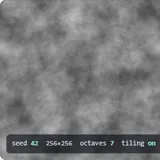
A single octave looks like smooth blobs. Real landscapes have detail at every scale: mountain ranges, hills on the ranges, rocks on the hills. Fractional Brownian motion adds several copies of the noise, each at double the frequency and half the amplitude, which reproduces that. Octaves is how many copies, lacunarity is the frequency multiplier and persistence the amplitude multiplier. Persistence near 0.9 gives a rough, noisy surface; near 0.2 gives smooth hills with a faint texture.
Turbulence and ridges
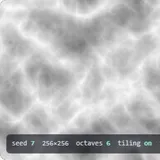
Taking the absolute value before summing folds the noise at zero, producing creases instead of smooth valleys — that is turbulence, and it is where marble and fire textures come from. Subtracting the result from one turns the creases into sharp ridges, which is the standard trick for generating mountain ranges. Both are one line of difference from the fractal sum, and both look nothing like it.
How the tiling works
Seamlessness is not a post-process here; nothing is blended or mirrored. The gradient lookup is done modulo a period, so the lattice itself repeats, and every octave uses a period that is the base period times its frequency. As long as those frequencies are whole numbers, all the octaves come back into phase at the same place and the image tiles exactly. That is the reason lacunarity is locked to integers in tiling mode — at 2.5 the fourth octave would land halfway through a cell and the seam would come back.
Turn on Show 2×2 tiled to check it. The join runs through the centre of the preview, horizontally and vertically; if there were a seam it would be the most obvious thing in the image.